Product items & Inventory Management
The Product items section is the central place for maintaining up-to-date inventory and ensuring accurate stock tracking across sales and refunds.
Products list
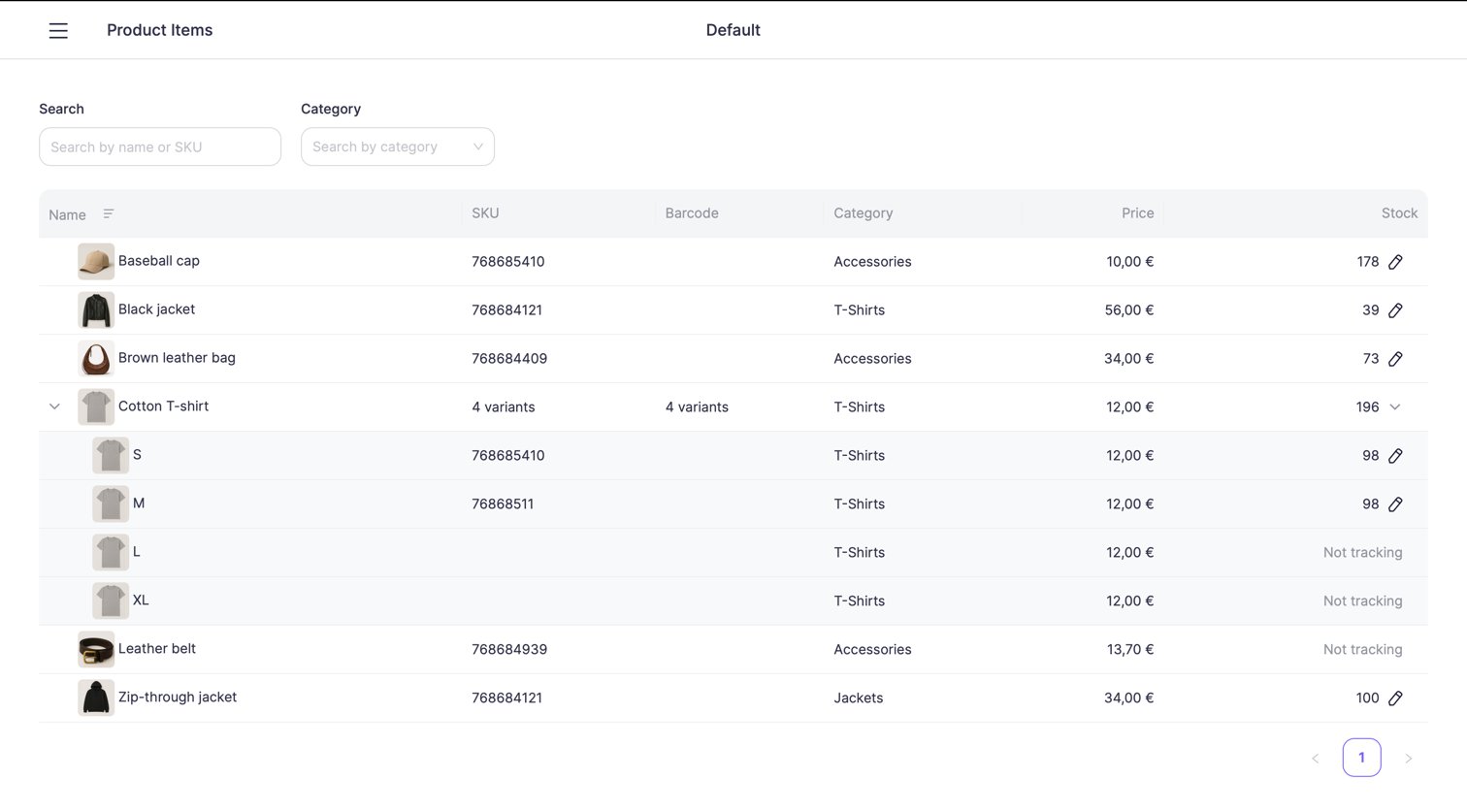
Open Products from the sidebar menu to access the full list of product items for the selected location.
The products table displays all items with their key details, including pricing, categories, and current stock levels.
Products with variants can be expanded to view individual variant items (for example, size or color).
Searching and filtering products
Use the controls at the top of the screen to quickly locate specific products.
You can search and filter by:
- Product name
- SKU
- Category
Filters can be combined to narrow down the list and find items faster in large catalogs.
Products with variants
Products that have variants (for example, T-shirts with sizes S, M, L, XL) are displayed as expandable rows.
- The parent product shows the total stock (if applicable)
- Each variant has its own SKU, price, and stock configuration
- Stock tracking can be enabled or disabled per variant
Stock tracking status
Products can be in one of the following stock states:
- Tracked — stock quantity is monitored and updated automatically after sales, refunds, or manual adjustments
- Not tracking — stock quantity is not limited or monitored
The stock column clearly indicates the current status.
Change product stock
You can manually adjust stock levels for any tracked product or variant.
To change stock:
- Locate the product or variant in the Products list
- Click the edit stock icon next to the stock value
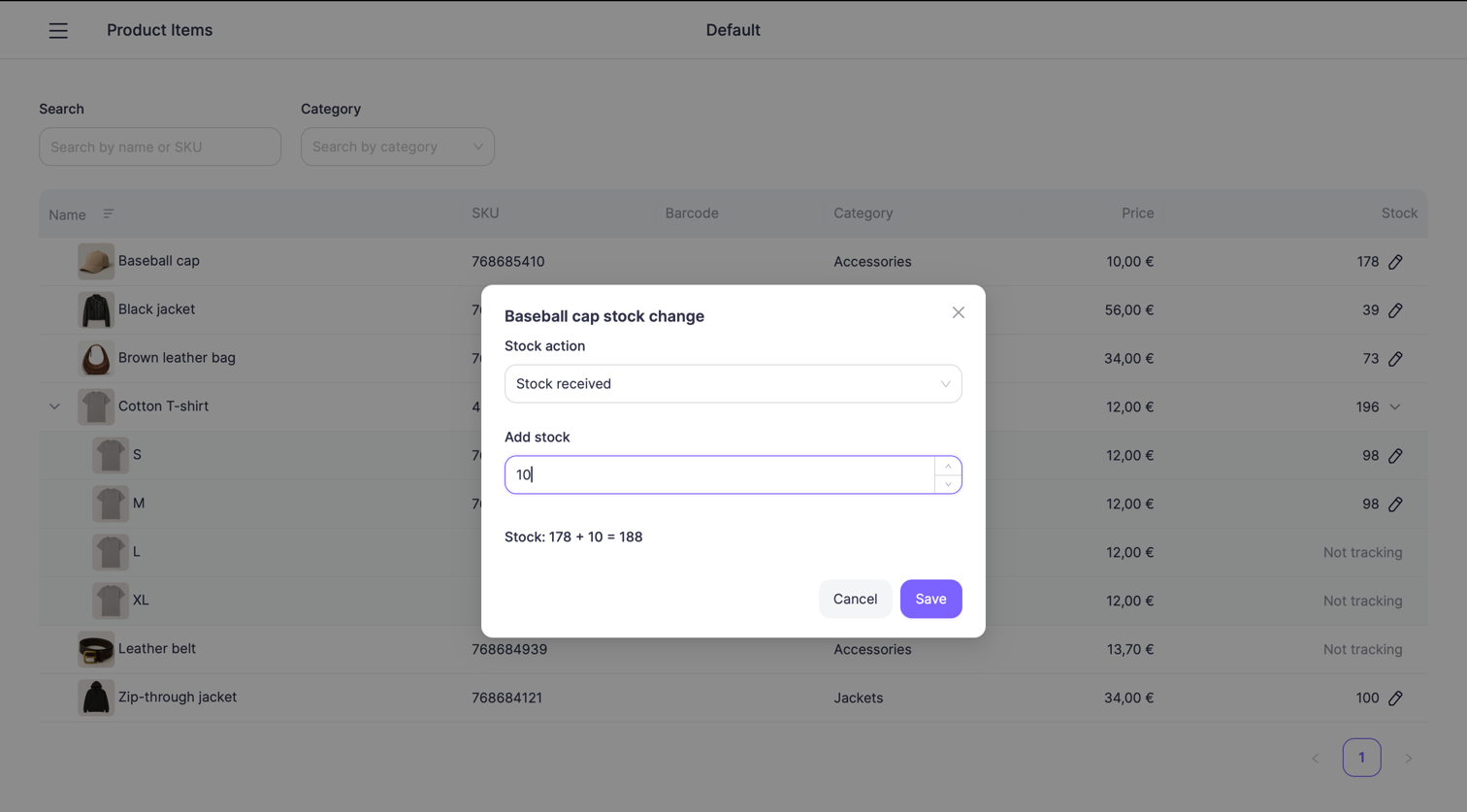
- The Stock change dialog will open
Stock change dialog
The stock change dialog allows you to perform manual inventory adjustments.
Stock action
Select the reason for the stock change, such as:
- Stock received — new items received from a supplier or warehouse
- Inventory re-count — manual correction after a physical stock count
- Damage — items removed from stock due to damage
- Theft — items removed due to theft
- Loss — items lost for unknown or miscellaneous reasons
- Return — items returned back to inventory (for example, after a customer return)