Product Categories
Product categories help you organize your products and apply tax rates consistently.
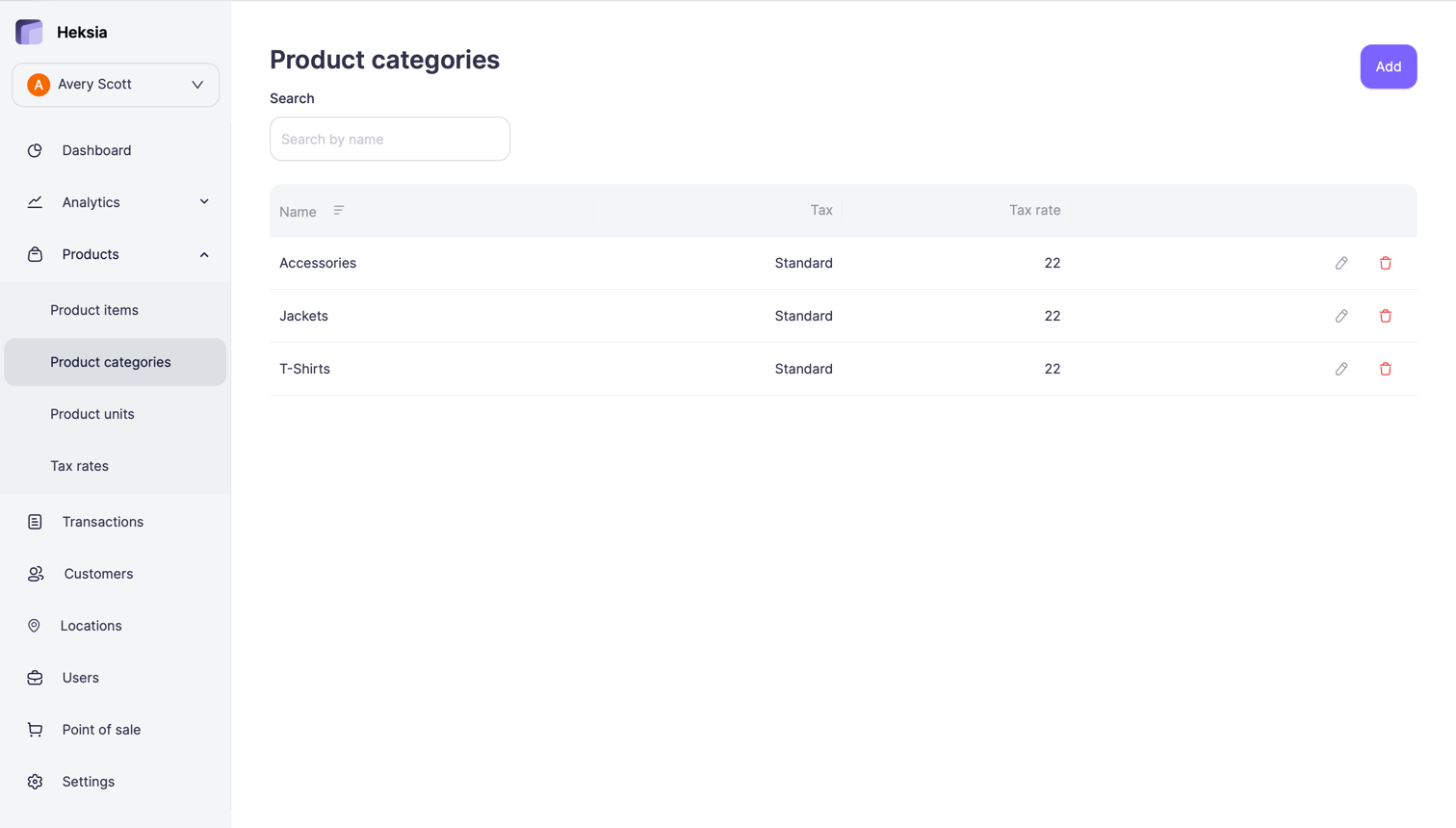
Each category has a name and a selected tax rate. All products assigned to a category will use the same tax rate during checkout.
To access product categories:
- Open the Back Office
- Go to Products → Product categories
From here, you can view, create, edit, and remove categories.
Adding a New Category
- Click the Add button in the top-right corner
- Enter the Name of the category
- Select a Tax rate from the dropdown
- Click Save
The new category will appear in the list and can be assigned to products.
Editing a Category
- Go to Product categories
- Click the Edit icon next to the category
- Update:
- Name
- Tax rate
- Click Save
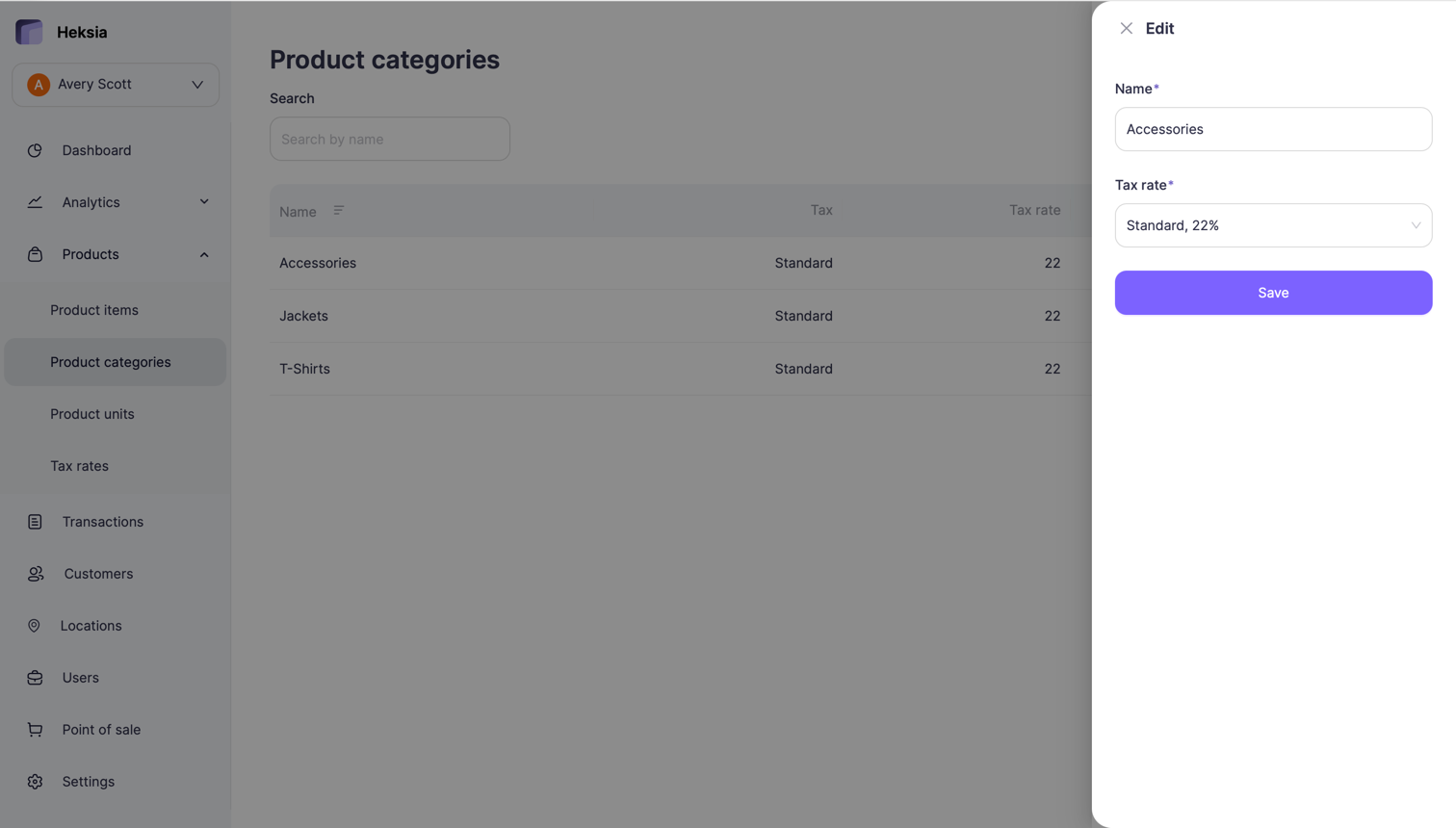
Updates apply immediately and will affect all products assigned to this category.
Removing a Category
- Open Product categories
- Click the Delete icon next to the category
- Confirm deletion
A category can be removed only if it has no products assigned to it.