 Heksia
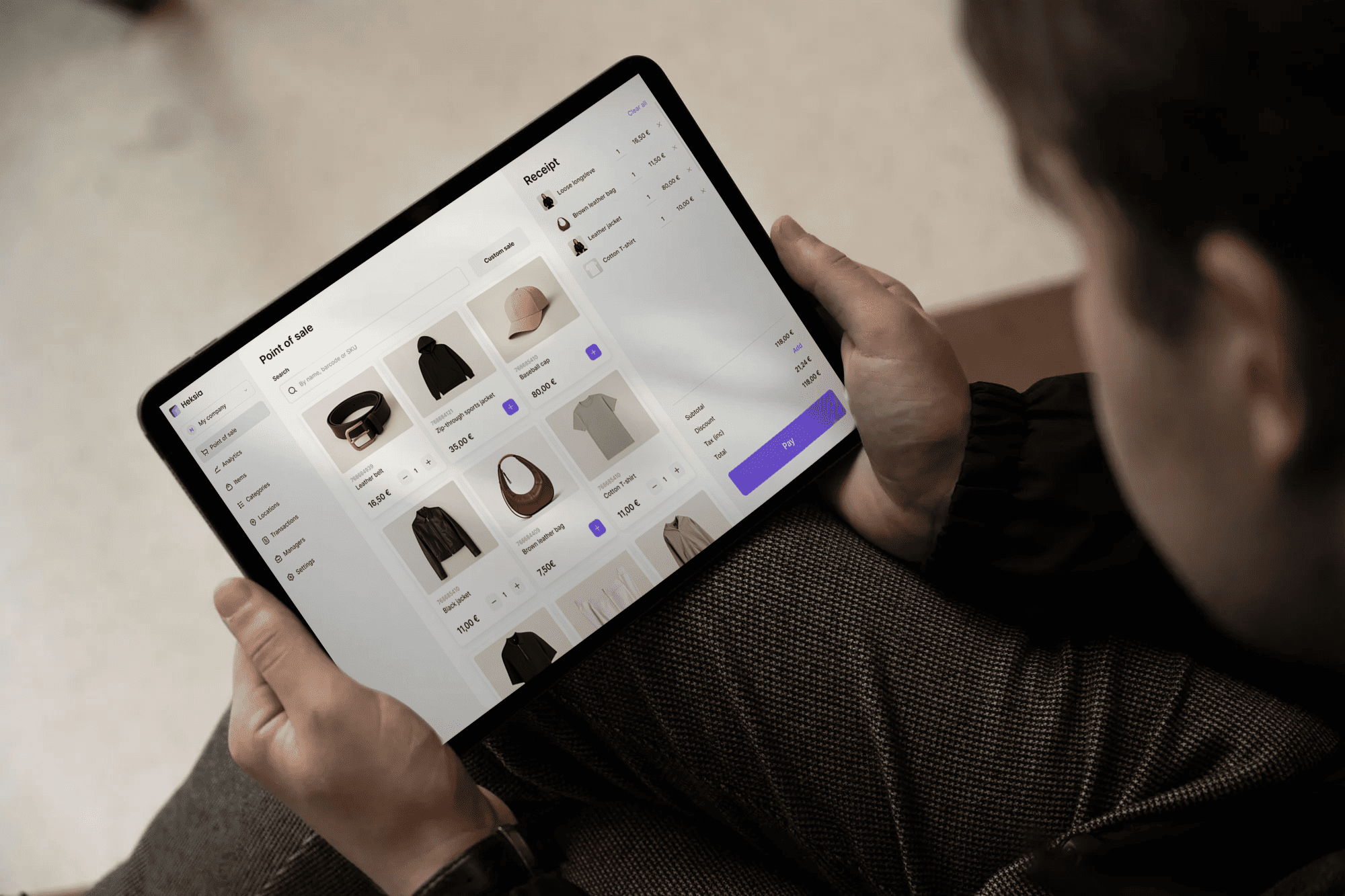
A cloud based POS system stores your sales, inventory, and customer data on remote servers you access through the internet, not on hardware sitting in your back office. This means you can process transactions, check stock levels, and pull reports from any device with a connection, whether you're at the register or across town.
This guide covers how cloud POS differs from traditional systems, what features matter most for retail, restaurants, and service businesses, and how to evaluate options for your operation.
What is a cloud based POS system
A cloud based POS system stores your sales, inventory, and customer data on secure remote servers instead of on a computer in your store. You access everything through the internet, which means you can process transactions and check business data from a tablet, laptop, or phone, wherever you happen to be.
The "cloud" here simply refers to servers managed by your software provider. Rather than keeping all your information on one machine that could crash or get stolen, your data lives online and syncs automatically across every device you use.
How it works: Transaction data travels through the internet to remote servers where it's stored and backed up
What it replaces: On-site servers and legacy hardware tied to a single location
Key difference: Web-based access from any connected device, anywhere
Cloud POS vs traditional point of sale systems
The core difference between traditional POS and cloud POS is where your data lives. Traditional systems keep everything on local hardware you own, while cloud systems store data remotely and handle updates for you. That difference affects daily operations more than you might expect.

Data storage and access
With cloud POS, your data lives on servers your provider maintains. You can check sales from your phone during lunch or update prices from home. Traditional systems lock that information to one terminal in your store.
Hardware flexibility
Traditional systems often require specialized, expensive terminals. Cloud POS runs on devices you might already own: iPads, Android tablets, or regular computers.
Updates and maintenance
Your provider pushes updates automatically with cloud POS, so you're always running the latest version. Traditional systems require manual updates that can mean downtime and IT calls.
Pricing models
Traditional POS typically demands significant upfront investment in servers and equipment. Cloud systems use monthly subscription pricing, which spreads costs over time and keeps advanced features accessible to smaller operations.
Growth and scalability
Adding a new location with traditional POS means purchasing and configuring new infrastructure. With cloud POS, you can add a register or store in minutes, your data syncs automatically.
Why your business benefits from cloud based point of sale software
The practical advantages go beyond convenience. Here's what cloud POS actually delivers for day-to-day work.
Automate daily operations
Cloud POS handles repetitive tasks like updating inventory counts after each sale, generating end-of-day reports, and syncing product information. Automation reduces manual work and the errors that come with it.
Access real-time data from anywhere
You're not tied to your store to know how things are going. You can monitor performance, adjust pricing, or check stock levels from any location with internet access.
Reduce upfront hardware costs
The subscription model means you avoid large capital expenditure on servers and specialized equipment. Many businesses run their entire operation on tablets they already own.
Sync inventory across all channels
When you sell an item at one location, your stock count updates everywhere instantly. Real-time syncing prevents overselling and keeps inventory accurate across multiple stores.
Scale from one location to many
Growing from a single shop to multiple locations becomes straightforward. You add new sites to your existing system rather than building separate infrastructure for each.
Make data-driven decisions with built-in analytics
Instant access to sales reports, profit margins, and sell-through rates means you can spot trends quickly. You're not waiting for end-of-month spreadsheets to understand what's working.
Key features of cloud POS software
When evaluating options, certain capabilities matter more than others for smooth daily operations.
Inventory management with low-stock alerts

Real-time stock tracking shows exactly what you have on hand. Automated alerts notify you when items run low, so you can reorder before running out.
Sales reporting and profit analytics

Dashboards display revenue, transaction history, refunds, and profitability without manual number-crunching.
Product setup with SKUs, modifiers, and VAT

Configure products with detailed attributes: unique SKU numbers for tracking, pricing variations for different sizes, modifier choices for customization, and VAT settings for tax compliance.
Multi-device compatibility

A good cloud POS runs on Windows, macOS, Android, and iOS. This flexibility lets you choose hardware that fits your space and budget.
Cloud based pos system for retail stores
Retail operations benefit particularly from cloud POS capabilities. SKU management keeps thousands of products organized, while real-time inventory prevents selling items you don't actually have in stock.

Multi-location sync proves especially valuable for retailers with several stores. Your inventory data stays consistent everywhere, and you can compare performance across locations from a single dashboard.
Common retail use cases include:
Clothing and apparel stores
Electronics retailers
Mini-markets and convenience stores
Pet supply shops
Pop-up retail locations
Web based point of sale system for service businesses
Salons, spas, repair shops, and similar businesses often don't carry traditional inventory, yet they still benefit from cloud POS. Transaction processing, customer records, and service tracking all live in one accessible system.
The flexibility to process payments from a tablet anywhere in your space, rather than returning to a fixed terminal, improves efficiency.
Salons and barbershops
Spas and wellness centers
Repair shops
Laundry and dry cleaning services
Hardware requirements for cloud based epos systems
One advantage of cloud POS is hardware flexibility. You're not locked into expensive proprietary equipment.
Tablets and mobile devices
iPads and Android tablets work well as primary terminals. They're portable, affordable, and ideal for mobile checkout or pop-up locations.
Desktop workstations
For high-volume operations, Windows or macOS computers provide a stable, fixed checkout station with larger screens.
Receipt printers and cash drawers
Standard receipt printers and cash drawers integrate with most cloud POS systems. You can often use equipment you already own.
Payment terminals and card readers
Connect card readers through PCI-compliant payment providers. Platforms like Heksia integrate with providers such as Adyen, handling card data securely without storing it directly.
Security and PCI compliance in cloud based pos software
Security concerns are valid when you're trusting sensitive data to remote servers, though 94% of businesses report improved security after cloud migration. Reputable providers address this through multiple layers of protection.
Data encryption: Transaction and customer information stays protected during transmission and storage
PCI compliance: Card payment integrations meet industry security standards
Automatic backups: Real-time data backup means you won't lose everything if a device fails
No direct card storage: Sensitive payment data is handled by compliant payment providers, not stored in your POS
How to choose the right cloud based pos system
Finding the right fit involves matching features to your specific situation.
Identify your business type and size. Consider whether you're retail, food service, or service-based, how many locations you operate, and your team size.
Compare core features. Evaluate inventory management, payment options, reporting capabilities, and product setup flexibility against your daily operations.
Check device and hardware support. Confirm compatibility with your preferred devices and existing printers, cash drawers, and payment terminals.
Review pricing tiers and scalability. Look at plans from free solo tiers to multi-location options, ensuring pricing grows reasonably with your business.
Start with a free trial. Test the system with your actual products and workflows before committing.
Start your cloud POS journey
See how a modern cloud based POS can simplify sales, inventory, and reporting — all in one system
Try now for freeManaging multiple locations with cloud point of sale
Coordinating inventory, staff, and sales across several stores becomes manageable with centralized cloud POS.
Centralized dashboard: Manage all locations from one interface
Real-time stock sync: Inventory updates reflect across every store instantly
Unified reporting: Compare performance across locations in a single view
Low-stock alerts: Receive notifications for any location running low
How to set up a cloud based pos
Getting started typically takes minutes rather than days.
Create your account. Sign up online with your business details.
Add products and inventory. Enter descriptions, images, SKUs, pricing, and stock quantities.
Configure payment methods. Set up cash handling and connect card payment integrations.
Connect printers and hardware. Link receipt printers, cash drawers, and payment terminals.
Start selling. Begin processing transactions while the system records everything automatically.
FAQs about cloud based pos systems
How much does a cloud based pos system cost?
Most cloud POS systems use monthly subscription pricing. Plans typically range from free basic tiers for single locations to paid plans for advanced features and multi-location management. Exact pricing varies by provider and feature set.
Can a cloud pos system work offline if my internet goes down?
Many cloud POS systems offer offline mode that continues processing transactions locally. Once your connection returns, data syncs automatically. Confirm this feature with any provider you're considering.
How quickly can I set up and start using a cloud based pos?
Most platforms allow you to sign up, add products, and begin selling within minutes. There's no complex hardware installation or IT setup required.
Does cloud pos software work with existing receipt printers and cash drawers?
Cloud POS systems typically integrate with standard receipt printers, cash drawers, and payment terminals. You can often use equipment you already own, though checking compatibility beforehand is wise.
How does cloud based pos handle VAT and tax settings?
Cloud POS software lets you configure VAT rates and tax rules for each product or location. The system automatically calculates and applies correct amounts at checkout.
